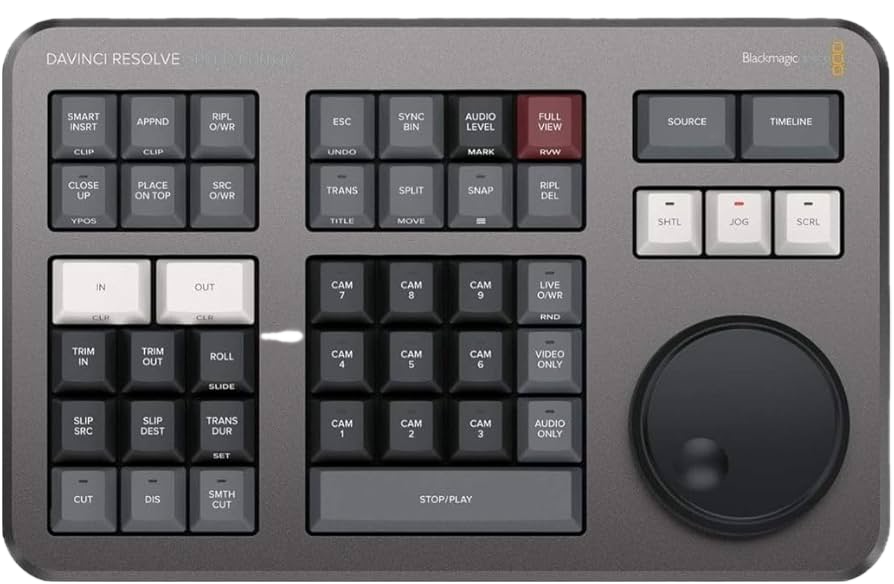
BlackMagic Design DaVinci Resolve Speed Editor
Where can I use this device?
You can use this device in:
- Digital Media Lab, Hill Library
This device may not be used outside the Libraries.
About this device
This hardware editing controller is designed for DaVinci Resolve and provides dedicated physical controls for common video editing tasks. It includes In/Out buttons, Source/Timeline toggling, and a speed dial (jog wheel) for precise real-time clip trimming. Available in the Digital Media Lab.
What can I use this for?
- Trim and cut video clips in DaVinci Resolve using the dedicated speed dial
- Toggle between source and timeline views with physical controls during editing
- Speed up the editing workflow with hardware shortcuts instead of keyboard and mouse
Libraries staff used an AI agent, Claude, to generate this description, then reviewed it for accuracy. More about this process
Useful information
-
Who can I contact about it?
- What is the cost of replacement?
Borrowing this device is free. But if it is lost or broken beyond simple repair while being borrowed, the borrower will be required to pay the cost of replacing the item:250Was this helpful?
We're glad! Thanks for the feedback.
Website feedback
We hear you! Thanks for letting us know.
- What is the cost of replacement?