Zotero: Exporting citations from Libraries Discover
You can select items in a list of Discover search results using the checkboxes that appear to the left of each search result. Export the selected items using the export icon located above the list of results, and select Export RIS from the dropdown menu.

You can also export your entire results list (up to 5,000 items) by selecting Save and export all results.

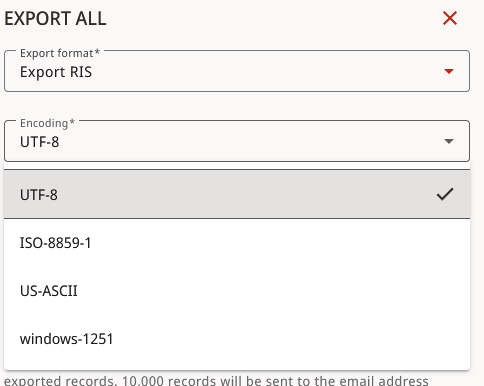
In the export format dropdown, select Export RIS. In the encoding dropdown, select UTF-8.
The RIS file will download, and if you have the Zotero app open already, it may automatically download into Zotero. If not, you can manually import a RIS file into Zotero.